⌖
Capture subtitles
Point your phone at the TV or monitor, select the subtitle area and start translation.
Game Caption uses your iPhone or iPad camera to detect game subtitles on a TV or monitor and translates them with Gemini. Eligible new users can try the Professional plan, including Premium AI and Voice Translation, for 40 minutes.
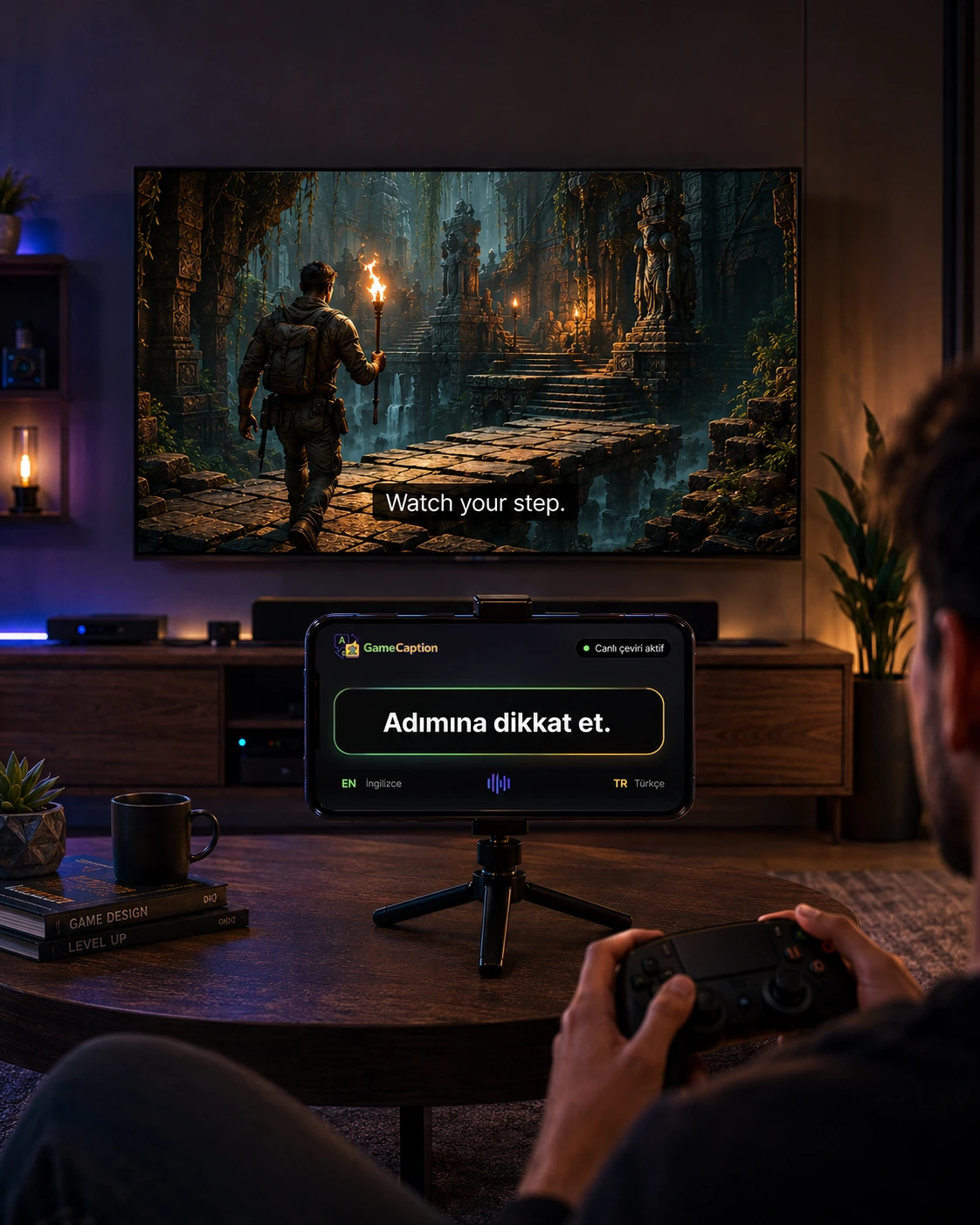 Live translation example
English on TV • Turkish on phone
Live translation example
English on TV • Turkish on phone
Game Caption focuses on detecting on-screen text through camera and OCR without modifying game files or consoles.
Point your phone at the TV or monitor, select the subtitle area and start translation.
Eligible new users can try Professional features for 40 minutes; the timer decreases only while translation is active.
Helps select a suitable female or male voice for the detected speaker, with mappings that users can adjust.
The app does not modify game files. Camera images are not recorded; the goal is to convert on-screen text into text with OCR and generate translation.
Position your iPhone or iPad so it can see the TV or monitor. For best results, subtitles should be clear.
Mark only the part of the screen where subtitles appear. This helps the app ignore unnecessary areas.
On iOS, listen with System Voice or the optional on-device Natural Voice. Android uses only a system text-to-speech voice installed on the device; DeepL, Natural Voice, and Studio Voice are not active on Android.
Game Caption includes a 40-minute Professional preview, Premium AI with 20,000 words per day, and Professional with 40,000 words plus Voice Translation.
40 minutes for eligible new users. The timer advances only while translation is active.
Gemini-powered translation with up to 20,000 words per day for more natural and fluent results.
40,000 words per day, Voice Translation, Smart Dubbing (Beta), and game/character voice profiles.
Payments are managed through Apple App Store. Eligible new users receive a 40-minute Professional preview. Current local prices are shown by the App Store before purchase.
Eligible new users can test the Professional experience for 40 minutes without making a purchase.
Gemini-powered game subtitle translation for more natural, context-aware results.
Everything in Premium AI, plus on-device Voice Translation.
Eligible new users can try Professional once for 40 minutes. The timer decreases only while translation is active, and the purchase screen does not interrupt an active preview.
Premium AI provides Gemini-powered translation and 20,000 words per day for more natural, fluent and context-aware Turkish.
Professional adds 40,000 words per day, Voice Translation, Smart Dubbing (Beta), and game/character voice profiles.
On iOS, System Voice is the default at every launch; the optional Natural Voice runs on-device, and a user-keyed DeepL option may be available. Android uses only a system text-to-speech voice installed on the device. Android has no DeepL or Studio Voice; Natural Voice is only marked “Coming Soon” and is not an active plan feature.
Download Game Caption from the App Store, place your phone in front of the screen and start following game subtitles in Turkish.